ASTERISK AUDIO GENERATOR
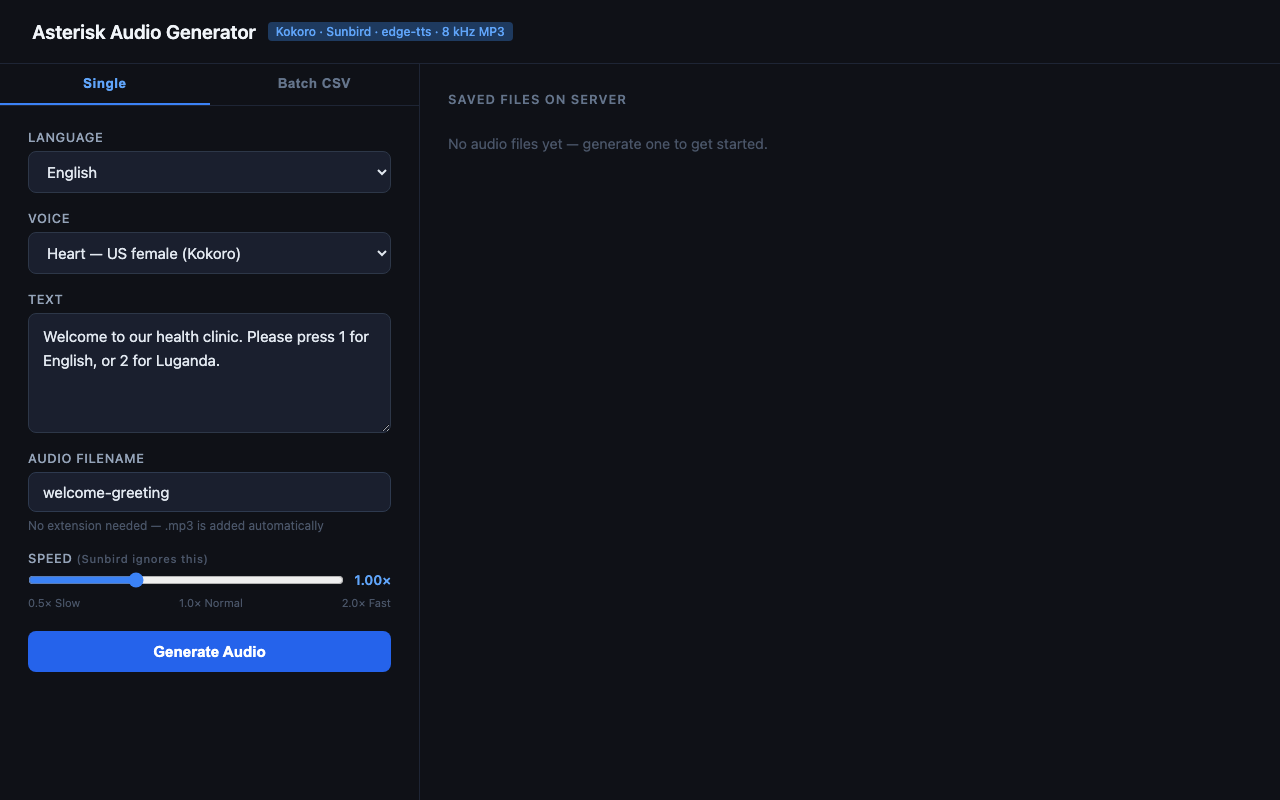
Single file generation — IVR prompt ready to convert
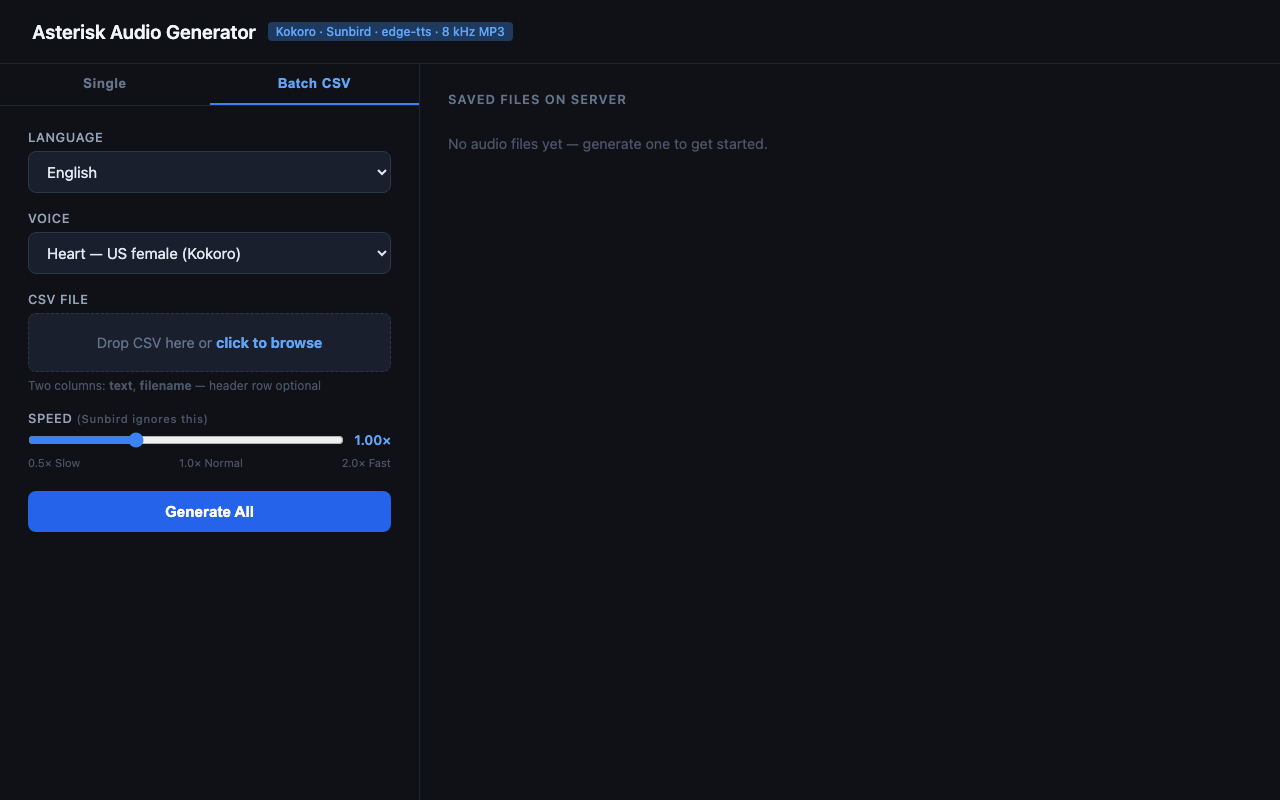
Batch CSV tab — generate hundreds of MP3s from a spreadsheet
Project Summary
The Asterisk Audio Generator is a web-based tool that converts text to Asterisk-compatible 8 kHz mono MP3 audio files — the exact format required by Asterisk PBX systems for IVR prompts, voicemail, and telephony applications. It supports multiple TTS (text-to-speech) backends selectable per request, enabling English, Luganda, and Swahili voice generation from a single interface, with both single-file and bulk batch workflows.
Objective
Producing Asterisk-ready audio traditionally requires manual recording studios or complex audio processing pipelines. This tool eliminates that friction by combining modern neural TTS engines with automatic audio resampling, delivering production-ready MP3 files in seconds. It is built to serve telecom engineers, IVR developers, and anyone building voice-driven applications on Asterisk.
Supported Languages & Voices
Three TTS backends are integrated, each selectable per generation request:
Local neural model — no internet connection or API key required. Includes 12 US and GB voices (male and female).
- Heart, Bella, Sarah, Nicole, Jessica (US female)
- Adam, Michael, Liam (US male)
- Emma, Isabella (GB female)
- George, Lewis (GB male)
Cloud-based TTS powered by Sunbird AI, supporting both English and Luganda — one of the few TTS providers offering Luganda voice synthesis. Requires a free Sunbird API token.
Microsoft Neural cloud TTS with no API key required. Includes 4 Swahili voices covering both Kenya and Tanzania dialects (male and female).
- Zuri — KE female
- Rafiki — KE male
- Rehema — TZ female
- Daudi — TZ male
Key Features
Single File Generation
Select a language and voice, type the text, set a filename and playback speed (0.5× to 2.0×), then click Generate. The output MP3 appears in the file list instantly and can be downloaded or deleted directly from the UI.
Batch CSV Processing
Upload a CSV file with text and filename columns to generate hundreds
of audio files in one operation. A live progress feed powered by Server-Sent Events shows each
file completing in real time, with per-row error reporting that does not stop the batch. Limits:
500 rows, 2 MB file size, 5,000 characters per text cell.
Docker Support
A Dockerfile and docker-compose.yml are included for one-command
deployment. The containerised build bundles all dependencies including sox, Python packages,
and the Kokoro model files.
How Audio Is Produced
Regardless of the TTS backend, all audio passes through the same post-processing pipeline to guarantee Asterisk compatibility:
- Text is sent to the selected TTS backend (Kokoro, Sunbird, or edge-tts).
- Raw audio is returned as PCM WAV or MP3 at the source sample rate.
soxresamples the audio to 8,000 Hz mono and re-encodes it as MP3.- The final file is saved to
media/and served via the FastAPI app.
Tech Stack
Backend
- Python 3.10+ with FastAPI
- Kokoro TTS (ONNX local model)
- Sunbird AI REST API
- Microsoft edge-tts (neural cloud)
- sox for audio resampling and MP3 encoding
- Server-Sent Events for streaming batch progress
Frontend & Deployment
- Single-page HTML/JS UI (Single + Batch CSV tabs)
- Bootstrap 5 for responsive layout
- Docker & docker-compose for containerised deployment
- Uvicorn ASGI server
REST API
The tool exposes a clean REST API for programmatic integration:
GET /speakers— full voice roster as JSONPOST /generate— generate a single MP3 filePOST /batch— generate multiple MP3s from a CSV, streamed as SSE eventsGET /files— list all generated filesDELETE /files/{filename}— delete a fileGET /health— health check